
The Fueling Tool has four areas: the Nav Bar, the Hero, the Sources area, and the Plans area.
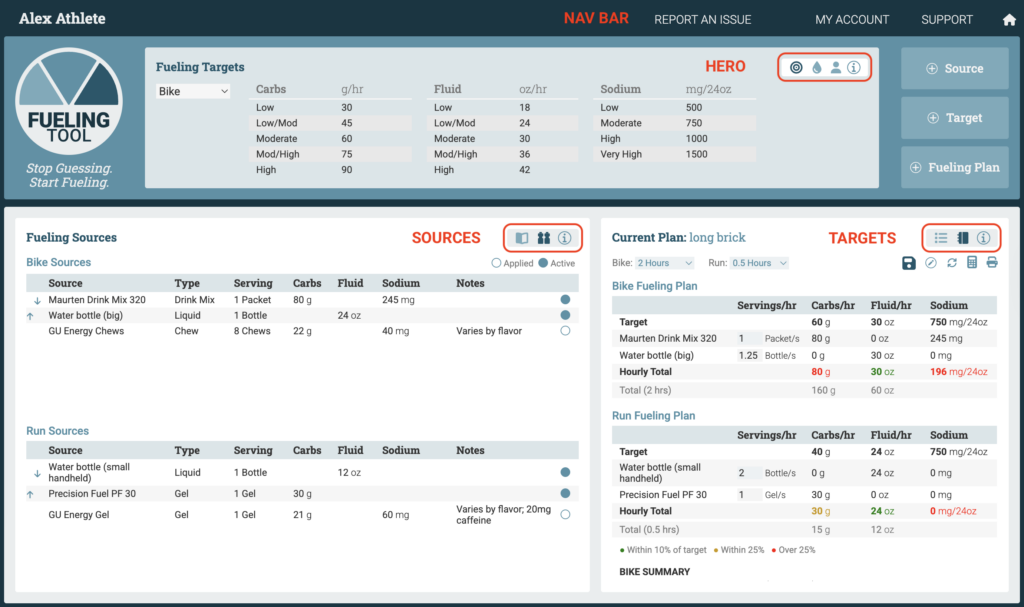
Use the Nav Bar to view and manage your account and to get support in using the app.
The Hero view houses the Targets, Sweat Tests, and Profile views.
The Sources view houses the Source Library and Fueling Sources views.
The Plans view houses the Current Plan and All Fueling Plans views.
Use the shortcuts in each area to switch between views. Use the info icon for any view to get help with that view.