
Athlete and Coach Edition users can create and save multiple Targets per component for each sport — for example, a “Low” and “High” carb Target — and choose between them when building different Plans.
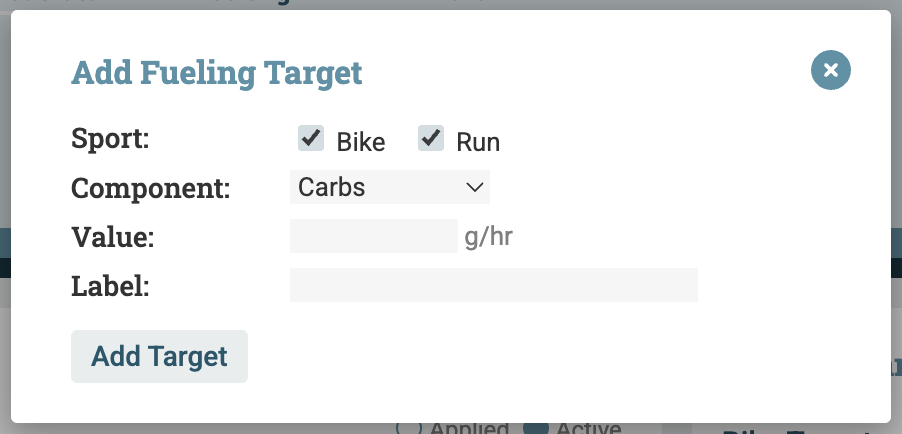
Click + Target in the upper right corner
Select the sport (Bike and/or Run) and component (Carbs, Fluid, or Sodium)
Enter the Target value
Add an optional label to identify it — for example, “Race Day”, “Hot Weather”, or “Training”
Click the edit icon  next to any individual Target to update its value or label, or to delete it